Signs of a Fake Website: A Red-Flag Checklist for Scam Online Stores
The fastest way to catch signs of a fake website is to check four things before you type in your card number: the price, the checkout page, the contact information, and the reviews outside the store itself. A scam online store usually fails at least two of these within a minute of looking.
Fake stores aren't rare anymore. They're often built in a day using cloned templates, stocked with stolen product photos, and promoted through Instagram or Facebook ads that vanish once enough people complain. Below is a checklist you can run on any store before you buy.
What are the signs of a fake website?
These are the most common warning signs, roughly in order of how often they show up:
- Prices that are 50-90% off everything, all the time — not a sale, a permanent "clearance" on the entire catalog.
- No phone number, no street address, or a contact page with only a form — legitimate retailers usually give you at least two ways to reach them.
- A domain name that's only a few weeks or months old but claims to be an established brand.
- Checkout that only accepts wire transfer, gift cards, or crypto — no credit card option, no PayPal.
- Product photos that look professionally shot but show inconsistent branding across different items.
- Reviews only on the site itself, with none on Google, Trustpilot, or the Better Business Bureau.
- Countdown timers and "only 2 left in stock" banners that reset when you reload the page.
How do I check when a website's domain was registered?
Go to a WHOIS lookup tool (ICANN's own lookup at lookup.icann.org works fine and is free) and type in the store's domain. Look at the "Creation Date" field. A store claiming to have "served customers since 2008" but with a domain registered four months ago is lying about its history. Many scam stores also use domain privacy services to hide the registrant's name and country — not proof of a scam by itself, but combined with a brand-new creation date, it's worth noting.
Why does the checkout page matter so much?
Checkout is where scam stores take the most shortcuts, because it's the one page they can't fake with stock photos. Look for these specifics:
- Is there a padlock icon and "https://" in the address bar? Its absence is a dealbreaker, though its presence only means the connection is encrypted — not that the seller is honest.
- Does the payment processor logo match what loads when you click "Pay"? Some fake stores show a Visa/Mastercard logo on the product page but redirect to a bare wire-transfer form at checkout.
- Is the total price in a currency that matches the store's stated location? A "US-based" store billing in a currency your card issuer flags as unusual is worth a second look.
- Does the order confirmation email come from a domain that matches the store (e.g., orders@storename.com), or from a generic Gmail address?
How can I verify a store's contact information is real?
Copy the phone number and street address from the "Contact Us" page and search them independently. A few checks that take under two minutes:
- Paste the street address into Google Maps. If it comes back as a residential building, an empty lot, or a UPS Store mailbox location, that's a red flag for a store claiming to be a "warehouse" or "headquarters."
- Call the phone number. Disconnected lines, numbers that ring without ever being answered over several attempts, or numbers that reach an unrelated business are all signs the contact page is fabricated.
- Search the exact customer service email address in quotes. If it turns up on scam-report forums or complaint sites tied to a different store name, the same operation is likely running multiple cloned sites.
Why do product reviews on the store's own site not prove anything?
Because the store controls what gets published. A scam site can write its own five-star reviews, or install a reviews plugin that auto-generates them, with no way for a shopper to flag a fake one. To get a real read on a store, check sources the store doesn't control:
- Search "[store name] reviews" or "[store name] scam" directly in Google and read what comes up on independent forums, Reddit, or community review sites.
- Check the store's social media comments, not just its posts — scammers delete complaints from their own page, but tagged comments and replies from other users are harder to scrub.
- Look up the business name on the Better Business Bureau site (bbb.org) if it claims to be US-based. A pattern of unresolved complaints about items never arriving is a strong signal.
What should I do if I already paid a suspicious store?
Act within the time window your payment method gives you for disputes:
- If you paid by credit card, call your card issuer and request a chargeback, explaining the item never arrived or doesn't match the listing. Most issuers give you 60-120 days from the statement date.
- If you paid through PayPal, open a dispute in the Resolution Center before the 180-day window closes.
- If you paid by wire transfer or gift card, contact the transfer service or card issuer immediately — recovery odds drop fast after the first 24-48 hours, and there's often no recovery option at all once funds are claimed.
- Report the site to the Federal Trade Commission at reportfraud.ftc.gov and to the platform that ran the ad (Facebook, Instagram, Google) so they can pull it down for other shoppers.
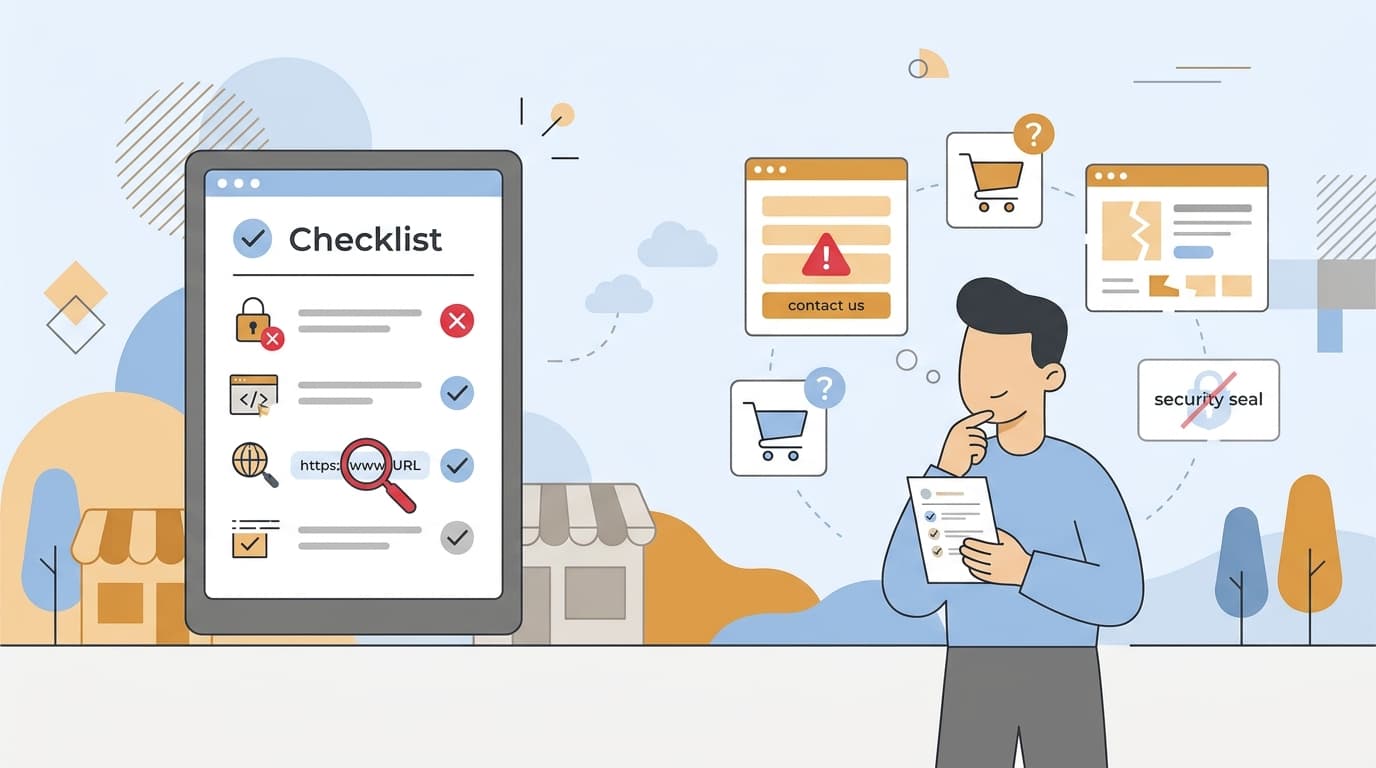
A quick pre-purchase checklist
- Domain registered recently but claims years of history — check.
- No phone number or verifiable address — check.
- Checkout skips credit card/PayPal in favor of wire transfer or crypto — check.
- No independent reviews outside the store's own site — check.
- Prices far below every competitor for the same exact item — check.
If two or more of these come back true, close the tab. The item isn't worth the risk of a card number that doesn't come back to you.
Frequently Asked Questions
What is the single biggest red flag for a fake online store?
Deep, sitewide discounts of 50-90% off that apply to the entire catalog at all times, not just a few items on sale. Legitimate retailers rarely discount everything permanently, so a store where every product looks drastically marked down is one of the most reliable early warning signs.
Can a website be a scam even if it has a padlock icon and https in the address bar?
Yes. The padlock only confirms the connection between your browser and the site is encrypted, not that the seller is trustworthy or will deliver your order. Many fake stores use valid SSL certificates, so https should be treated as a minimum requirement rather than proof of legitimacy.
Is it a scam if a store only accepts PayPal or crypto instead of credit cards?
Accepting PayPal alongside a credit card option is normal, but a checkout that only offers wire transfer, gift cards, or cryptocurrency with no credit card option is a major red flag. These payment methods are hard to reverse or dispute, which is exactly why scam stores prefer them over card payments that trigger chargeback protections.
Where can I check if other customers have had problems with a store besides its own website?
Search for the store's name plus words like 'reviews' or 'scam' on Google, and check independent platforms such as Trustpilot or the Better Business Bureau. If a store has glowing testimonials only on its own product pages but no verifiable presence on these third-party sites, that absence itself is a warning sign.